Smart cuts.Less waste.
A cut plan optimiser for sheets, battens and beams. Enter the parts, pick the material, and follow the plan at the saw.
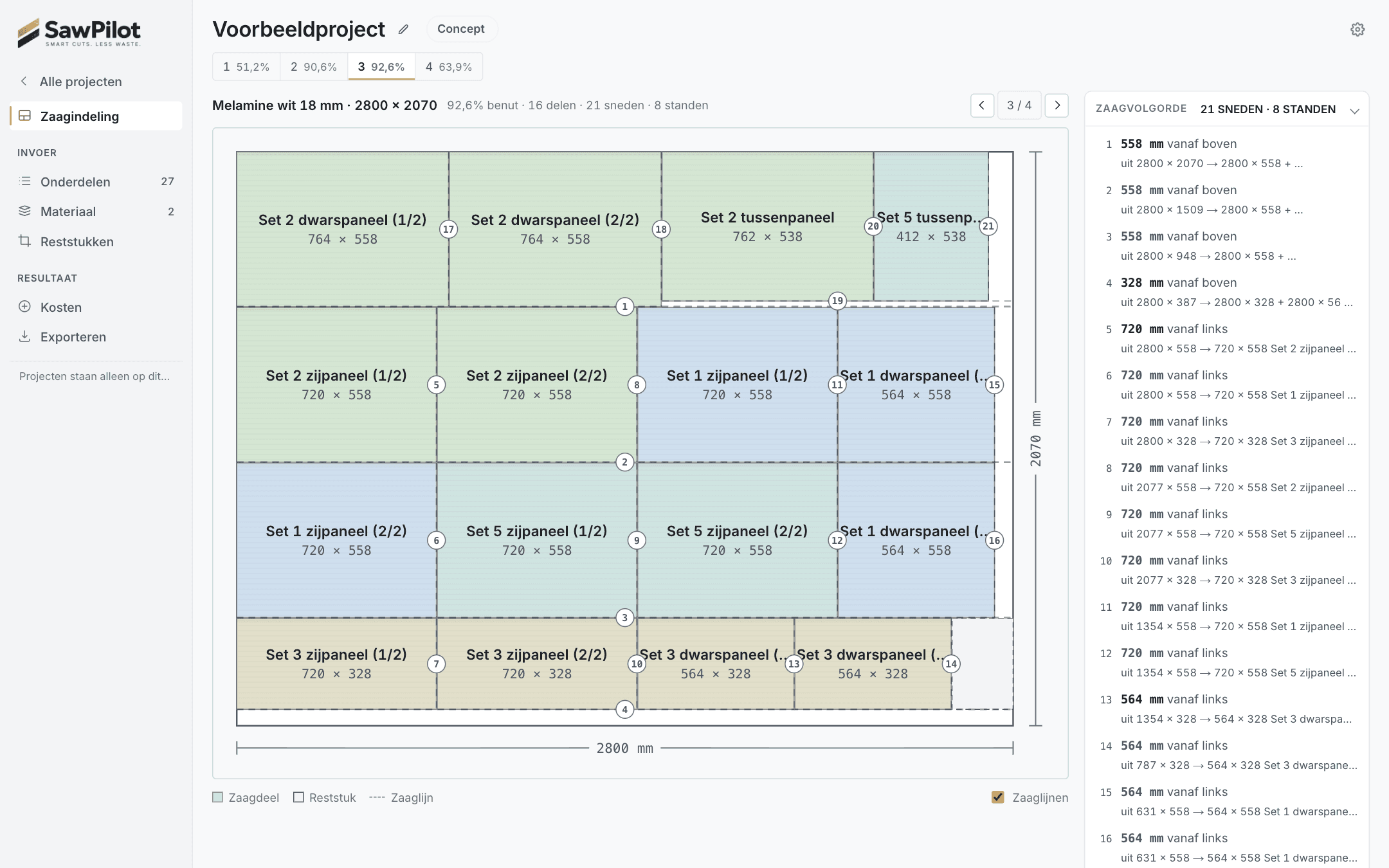
A cut list starts as a column of finished sizes. Between that column and the saw sit the kerf every pass removes, the edge banding that has to come off before cutting, grain that may not be turned, and a fence that keeps being moved. Worked out by eye, that ends in a sheet too many, or a banded part that comes out too big by twice the band.
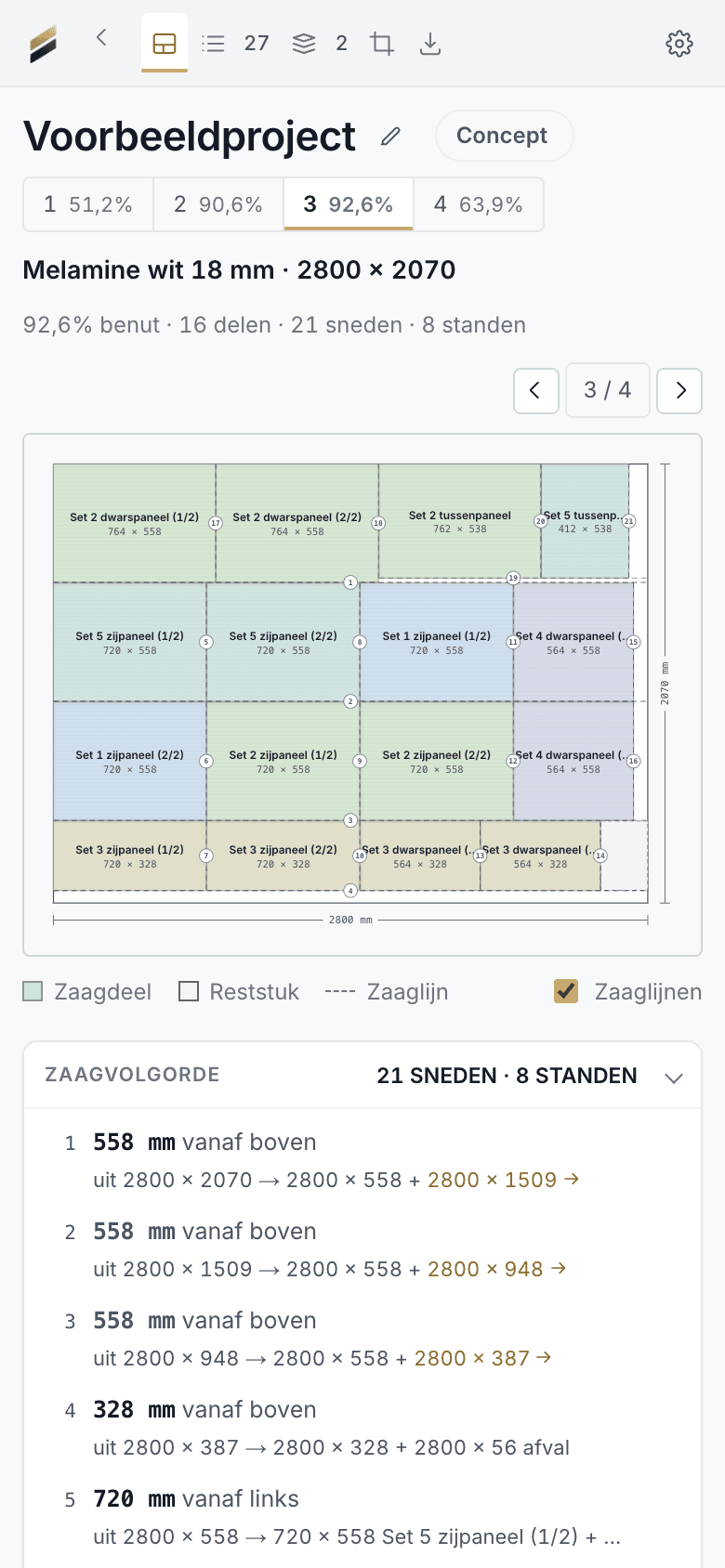
Name the job, tick the material, type in the parts. The cut plan is drawn straight away, with a numbered cut sequence, a saw mode that shows one cut at a time, and an A4 PDF to print. Calculating is free and works without an account.
Every saw pass splits a workpiece in two, so the layout is stored as a cut tree, not a list of positions: a layout that cannot be sawn cannot be produced. Kerf sits on each split, edge banding comes off before optimising, and a check confirms that the parts plus the kerf make exactly the sheet before any plan is shown.
The cut treeis the plan.
What happens behind the interface
- PartsFinished sizes
- Banding deductedBefore solving
- Grain & kerfPer part · per blade
- Guillotine layoutsStrategies compared
- Plan verifiedParts + kerf = sheet
- Cut sequenceFence settings counted
- Saw modeOne cut at a time
- PDF & labelsA4 · stickers
- Calculating
- Free and unlimited · no account needed
- Pro
- €7.99 a month or €59 a year · first month free
- Work
- Battens to length, sheets and, with Pro, beams
- Check
- Every plan verified before it is shown